
Get started
Introduction
AnimSpark is an AI video agent. From one prompt it makes a whole film, and hands it to you as a project you can keep editing.
AnimSpark turns a sentence into a finished film. It writes the story, designs the motion, generates images and video clips, records narration, scores music and sound, and edits everything on a timeline. Then it stays with you: you can change the film by hand or by asking, as many times as you like.
What you can make
Launch and product films, explainers, lessons, social ads, picture books, title sequences, data stories, edits of your own footage. For a feel of the range, watch the examples: each one shows the prompt that made it.
How a film gets made
- You write a brief. One sentence is enough. Add whatever you have: images, documents, recordings, footage, links. See Writing a brief.
- The agent makes the film. It plans the scenes, builds them one by one, and adds narration, music and sound as it goes. You can watch every step in the chat. See What the agent does.
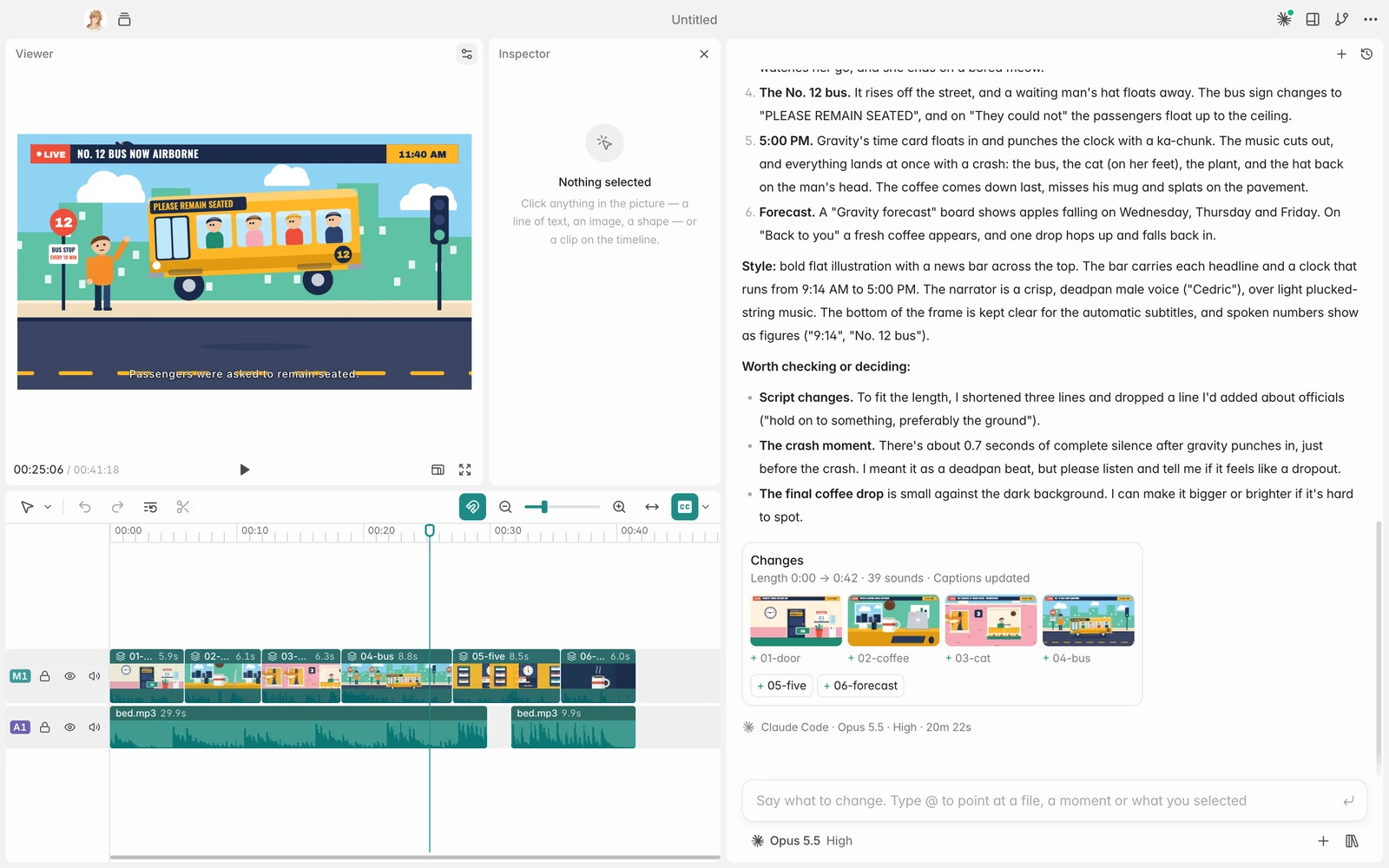
- You direct it. Click anything in the picture to change it, drag clips on the timeline, or say what you want different. See The editor at a glance.
- You export or share it. Exports render on your own computer, in the browser or the Mac app, with no watermark. See Export.
Three ways in
| What it is | Start here | |
|---|---|---|
| Browser | The full app on the web. Nothing to install. | Quickstart |
| Mac app | The same app for macOS. Projects can live in folders on your Mac, and coding agents connect to it. | The Mac app |
| Coding agent | Claude Code, Codex, Cursor and others drive AnimSpark through the Mac app. | Drive AnimSpark from your coding agent |
All three use the same account, plan and credits.
Key ideas
- Project. One film's whole story, from the first sentence to the version you have now. It holds the film, the chat, and every asset you added or the agent made.
- Composer. The box where you talk to the agent. In a new project it says "Describe your film"; after the first round, "Say what to change". Type
@in it to point at a moment, a selection or a file. - Model and effort. How capable the agent is (Ultra, Pro or Flash) and how hard it thinks (Max, High or Low). See Models and effort.
- Credits. What runs cost. You're charged for what a run actually uses, and a video clip always asks before it's generated. See Plans and credits.
- Open source. AnimSpark's engine is open source. The GitHub link is at the top of every page.